



You've probably already heard about Google's newest marketing suite addition: Google Analytics 4, a.k.a. GA4. Google has made no secret of pushing it through every one of its marketing platforms, encouraging you to install GA4 if you haven't already!
Google Analytics is a powerful data collection and analysis tool, a real asset for marketers and online business owners. It lets you segment customers and prospects, understand their browsing behavior on your website, and uncover new conversion opportunities or barriers. All with the ultimate goal of maximizing the return on investment from your digital marketing efforts.
In late 2020, Google announced the beta launch of GA4. Then in March 2022, it made the official announcement that the current version, Universal Analytics, would be permanently shut down on July 1, 2023. All development efforts would be focused on the new Google Analytics platform (GA4).
It's time to make the move! We strongly recommend setting up a new Google Analytics 4 property in parallel with your existing Universal Analytics properties right now. Start collecting data today, because data collected in Universal Analytics cannot be transferred to GA4. If you're still running only Universal Analytics, you will lose all website data from July 1, 2023 onward.
Get ahead of the competition! Once Universal Analytics is gone, you'll wish you had acted sooner. A head start will let you hit the ground running and maximize your return on investment.
Still not convinced? Here are 4 Google Analytics 4 features you won't want to miss
Google Analytics 4 includes free BigQuery data export
GA4 enters the cloud and big data era by offering all users free export of raw Google Analytics 4 data to Google Cloud's BigQuery data warehouse. This access to granular data was previously reserved for users with a paid Analytics 360 license, which costs around $150,000 USD per year and can increase depending on site size. Granular data exported into Google Cloud's BigQuery opens a whole new era of big data for marketing and e-commerce, previously out of reach for businesses without massive analytics budgets. This is an incredible opportunity you don't want to pass up.
The cookie apocalypse
With new privacy restrictions now in effect: ITP (Intelligent Tracking Prevention) in Safari, ETP (Enhanced Tracking Protection) in Firefox, Tracking Prevention in Edge, and more, third-party cookies are becoming increasingly scarce and will soon be phased out entirely. Google has also announced that a similar privacy protection mechanism will be rolled out in 2024.
In short, cookies are small data files stored on a user's device to identify them. Third-party cookies are generated by a server different from the website being visited. First-party cookies, on the other hand, are generated directly by the servers of the sites you visit.
Cookies are essential to many digital marketing tactics, such as retargeting users who have viewed or purchased a product or service on your website. The disappearance of third-party cookies therefore raises significant challenges, including a growing difficulty in accurately measuring the ROI of your digital marketing activities.
GA4 was designed specifically to address the measurement gaps caused by the disappearance of third-party cookies. In an interview with Search Engine Land, Russel Ketchum, Group Product Manager at Google Analytics, hinted that GA4 plans to rely on machine learning (artificial intelligence) to fill in data gaps related to cookie loss. He also mentioned that new alternative measurement methods are being developed for a cookieless world.
Installing GA4 is the first step in preparing for the ongoing changes in the digital world around personal data protection. From there, you can move on to server-side measurement (server-side Google Tag Manager). We won't go into the details here, as a full article on that topic is warranted. PSST, follow our blog in the coming months to learn more!
More powerful and relevant audience segment creation
The big difference is that GA4 helps you track users not only across your website, but also across your mobile app. This cross-platform tracking, which doesn't exist in Universal Analytics, gives you a complete view of the customer journey, including acquisition, engagement, monetization, and retention.
This unique data is extremely valuable for any marketer. It builds a deeper understanding of the cross-platform experience. It can also be used to extrapolate data for broader demographic groups, enabling more accurate customer modeling.
Unlike its predecessor Universal Analytics, which was entirely session- and pageview-based, GA4 focuses exclusively on users and events. What does that mean in practice? Rather than measuring only sessions, GA4 collects and stores every user interaction as a distinct event. Instead of seeing generalized data, you can now better understand the behavior of individual users.
Finally, one of the most important points our team wants to highlight: GA4's powerful AI-driven predictive metrics (e.g., purchase probability, churn probability, revenue forecasting, etc.) let you build predictive audiences based on predicted behaviors. These audiences can then be targeted through Google Ads campaigns or across various social media platforms. A whole new world of possibilities opens up!
Improved and highly customizable analytics and e-commerce performance reports
GA4 delivers a completely refreshed reporting experience. Reports are now far more in-depth, and real-time measurements are noticeably more accurate.
Unlike Universal Analytics, GA4 provides cross-platform reporting (web plus app) that can improve your understanding of the customer purchase journey and help you deliver a better user experience accordingly.
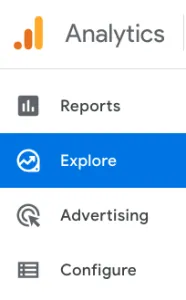
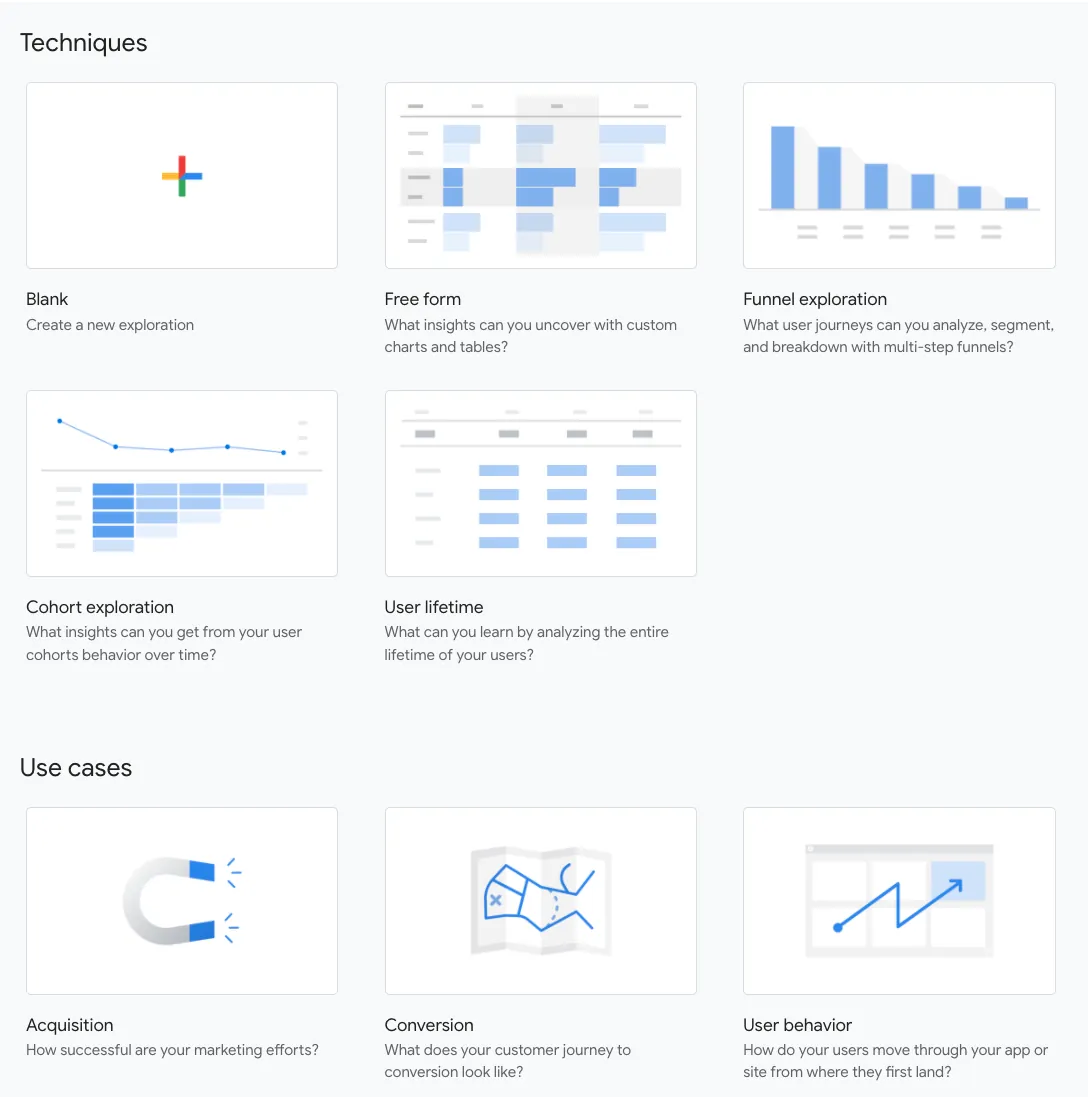
This cross-platform data can also help you solve cross-device attribution issues and better gauge the effectiveness of your marketing campaigns across all devices and platforms. Several advanced analysis reports previously available only to Google Analytics 360 users are now easily accessible in GA4 under the "Explore" tab.
You also have the ability to build custom performance reports with far more flexibility than the old Google Analytics. It even works in conjunction with Google Data Studio so you can build personalized dashboards from connected data.
To replace the bounce rate concept (the percentage of single-page visits where someone leaves your site in under 30 seconds without navigating further), GA4 introduces a new set of engagement metrics: engaged sessions, engagement rate, engaged sessions per user, and engagement time.
An engaged session is one where a user actively interacted with your site for at least 10 seconds. A session in which a conversion event fires, or at least 2 pageviews occur, is also counted as an engaged session.
Because engagement rate isn't based solely on pageviews, it can be used across all platforms to measure user engagement. That's not the case for bounce rate, which generally fails to measure engagement on mobile apps. Bounce rate also doesn't apply well to certain niche content verticals like publishing (news, blogs, etc.), where single-page sessions are very common.
These engagement metrics provide a much more accurate way to track how users interact with your website or app.
Keep in mind: the more control you have over your data, the easier it is to effectively evaluate your digital marketing activities and their outcomes. You'll also be better positioned to make informed decisions for a stronger return on investment.
Alright, now that we've convinced you: how do you set up your new Google Analytics 4 property?

First, it's important to install GA4 today, in parallel with Universal Analytics. You'll benefit from the combined strengths of both tools, and you'll give yourself the time needed to transform your internal data management and usage processes.
Also, GA4's AI-powered custom predictive analytics require a substantial volume of data before machine learning can kick in. The sooner you start collecting data, the sooner you can generate predictions for marketing purposes, such as purchase prediction or churn probability.
Simply log in to your Universal Analytics account and go to the "Admin" tab. Under "Property," you'll find the GA4 Setup Assistant, which will walk you through setting up your new GA4 property step by step. Check out the Google Help Center for more information!
We hope this gives you everything you need to take the leap and start your transition to GA4!